Objects
We can therefore import various elements into our project from the hierarchy as well as from the Media Library.
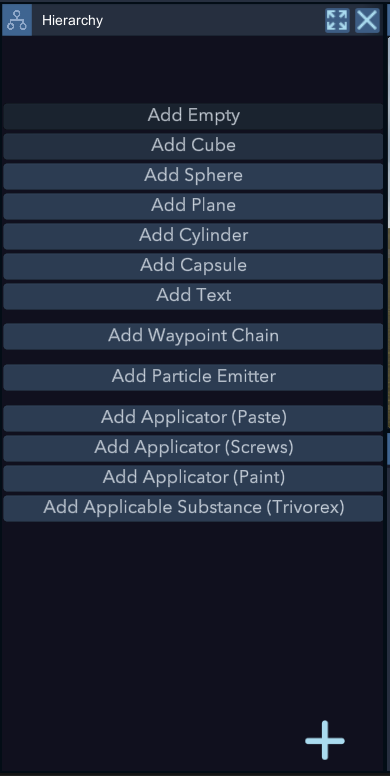
Basic Shapes
You can import several types of standard shapes, often used in 3D software to quickly sketch ideas.
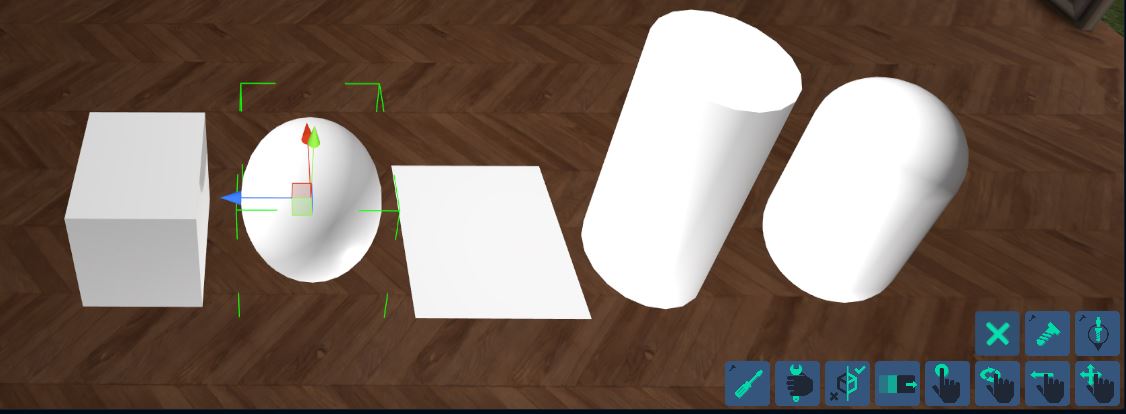
Empty
If you import an Empty object, represented by a circle, you can use it for certain behaviors that are not available on mesh objects (like the shapes above). Indeed, if you want to create a Smartboard, a Timer, or a teleportation point, you will need an empty object.

Text
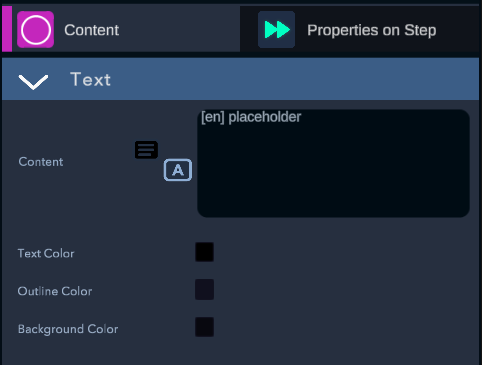
To the left of Content, there is a button that allows you to link a line from the TextDataBase.


-Text Color: allows you to select the text color. -Outline Color: allows you to select the color of the text outline. -Background Color: allows you to select the background color of the text. It is recommended to keep it in order to ensure readability at all times.
Waypoint chain
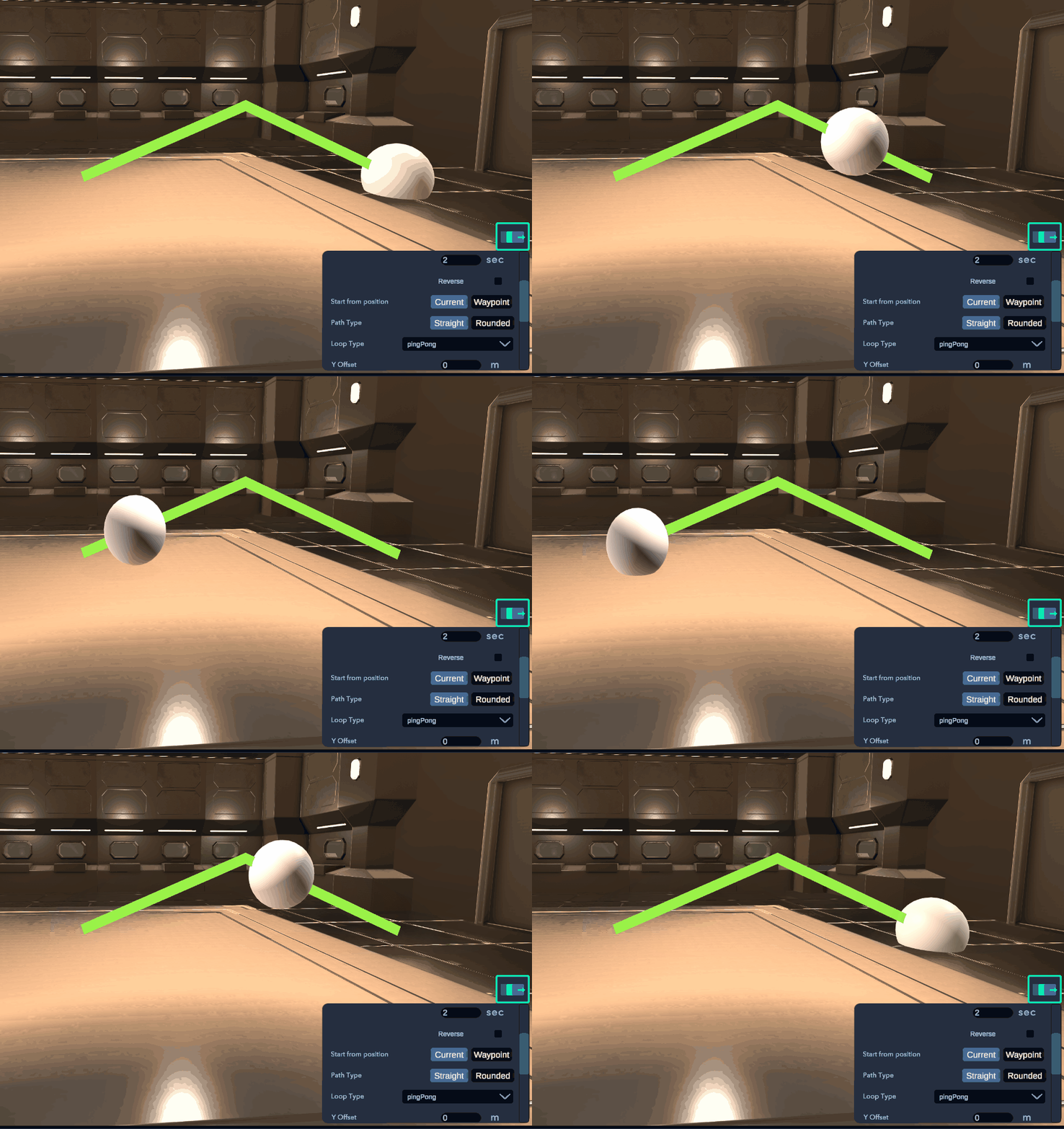
A Waypoint chain allows you to create a series of points linked together, forming a path. This path can be used to guide objects with the animate behavior.
Use the shortcut "P" to quickly add points when the Waypoint chain is selected.

Particle Emitter
By importing a Particle Emitter, you can create effects like smoke, fire, and others.
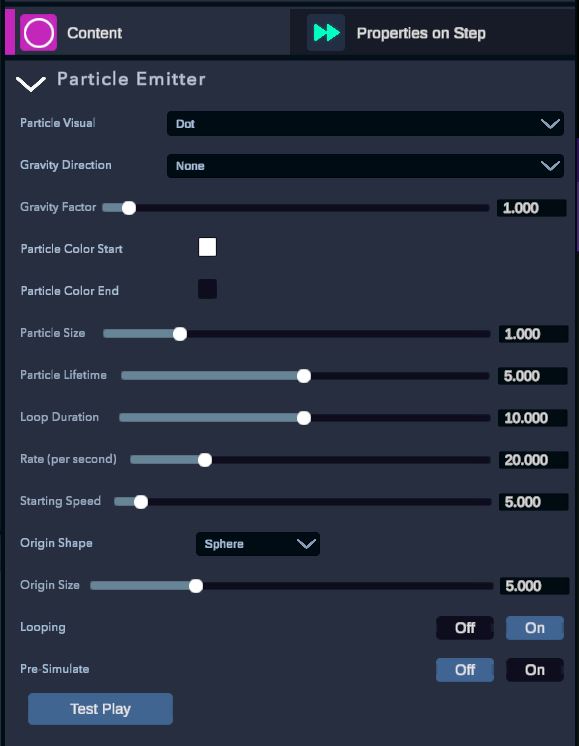
-Particle Visual: allows you to select the desired visual for the particle. -Gravity Direction: indicates the direction of the gravity effect on the particles. -Gravity Factor: allows you to select the intensity of the gravity. -Particle Color Start: allows you to select the color of the particle at the start of its life. -Particle Color End: allows you to select the color of the particle at the end of its life. -Particle Size: allows you to select the size of the particle. -Particle Lifetime: allows you to select the lifetime of a particle. -Loop Duration: allows you to select the duration of the loop. -Rate (per second): allows you to select the number of particles generated per second. -Starting Speed: allows you to select the speed of a particle at the start of its creation. -Origin Shape: allows you to select the shape in which the particles will be created. -Origin Size: allows you to select the size of the origin shape. -Looping: allows you to select whether the particle emitter loops or not. -Pre-Simulate: allows you to select whether the particle emitter is pre-simulated when entering a step or if the simulation will start upon entering the step.